
Private communication: choose channels, verify contacts and limit disclosure
Private communication depends on more than the messenger’s name. Weigh the encryption of that specific chat, who the recipient really is, who else is in the group, and where backups live — and verify important contacts over a separate path.
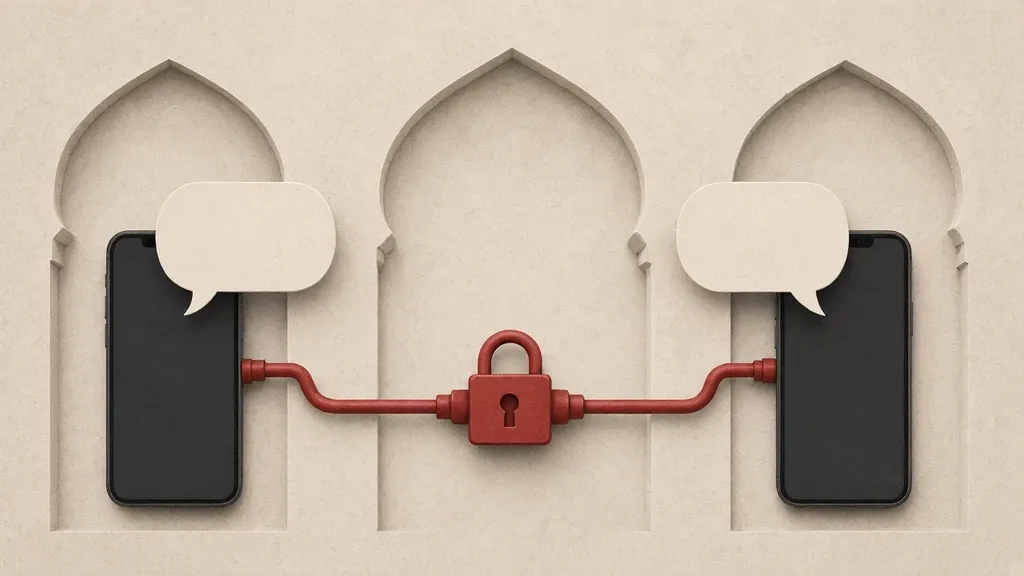
Private communication depends on more than the messenger’s name. The encryption of that specific chat, who the recipient really is, who else is in the group, and where backups sit all belong in the same decision. An app that says “secure” on the box does not deliver privacy if it keeps the conversation readable in the cloud, or if you pick the wrong contact.
This page is about choosing a channel: what to send where, how to verify a contact, and how to disclose less. Details of encrypted-messenger settings are in safer encrypted messaging, and stripping identifying traces from files is in removing identifying metadata.
Treat content and metadata as separate things
Content is the text, audio, image or document you send. Metadata is everything around it: who spoke with whom, at what time, from which number, in which group, at what size, and sometimes from which place. Many tools make the content hard for others to read while still needing metadata to provide the service or to cross the network. If your concern is that the words themselves should not be read, the encryption of that chat matters. If your concern is that the fact of a conversation between two people should not be seen, changing apps is not enough on its own.
Metadata is sometimes more damaging than the message. Knowing that two people talk at length every night, or that someone suddenly joined a group with a particular topic, is information even without a single sentence. To reduce that layer you have to weigh the channel, the timing, the size of the group, and even whether something needs to be written at all.
Ask about the encryption of that chat, not the app’s slogan
End-to-end encryption usually means the provider cannot read the text like an open letter, and the keys sit with the parties’ devices. That is different from “the path to the server uses HTTPS”. Many messengers, and almost all ordinary email, keep cloud content in a form that the service — or anyone with access to the account — can see.
- A one-to-one chat is end-to-end by default in some apps, and only when you turn on a special mode in others.
- Groups, large channels and notes you save to yourself may follow different rules.
- A cloud backup without a separate password can make the same protected text readable again.
- A web or desktop session often depends on more devices being linked.
Before you send anything sensitive, look in that app at the status of that conversation: a lock, an encryption label, or the name of a mode such as a secret chat. If you do not see that mark, do not assume that only you and the recipient can read the text.
Verify the contact on a separate path
The strongest encryption is useless if you send the message to the wrong person. A display name, a profile photo and even a number can be forged or can come from a taken-over account. For a sensitive subject, confirm identity on a channel other than that same chat.
- If you can, compare safety numbers or in-app verification codes together in person or on a familiar video call.
- If meeting is not possible, use another path you already have — a familiar voice call, or a message from another account you verified earlier — and ask them to read back part of the code or identifier.
- Do not send the verification code back down the same unverified channel and expect that channel to guarantee itself.
- When the app says the safety number has changed, a new device or a fresh install has been added to that account. Before you continue with anything sensitive, ask another way whether the person you know actually got a new device.
- In groups, treat a new member the same way you would treat a new contact.
Do not send everything in every group
A group means several devices, several backups and several people with different habits of caution. The larger the group, the less control you have over where a message goes. Someone may take a screenshot with no ill intent, hand their phone to someone else, or leave an account unlocked later.
- Move a highly sensitive topic to a smaller chat or another channel whose members are only the people who need to be there.
- Before you send a document, ask whether every member of the group should see it or only one person.
- Treat the group name, image and description as part of the disclosure; they are often more widely visible than the messages themselves.
- Treat a new member like a new contact, and if history should be limited for newcomers, use the app’s own setting.
- Leave or archive a group you no longer need, so later messages do not arrive on your device for no reason and you do not write there out of habit.
Match the channel to the job
No tool is best for every conversation. Start from the material itself, not from habit.
- An in-person conversation in a suitable place: still simple and strong for a highly sensitive decision, provided you think about the place and who is with you.
- A call from a familiar number or account: it does not store content like a letter, but the number, time and length of the call create metadata, and people nearby may overhear.
- Ordinary SMS and email: easy to write and usually as open as a postcard; a poor choice for passwords, identity documents and sensitive coordination.
- A messenger with end-to-end encryption on that chat: a better fit for everyday sensitive text and files, if you have verified the contact and understood the backup.
- A messenger or social network with a readable cloud: common for public work and large groups; not suitable for something that should not reach a group admin or the service itself.
- Email: useful for formal letters and documents you need to keep, and not end-to-end unless both sides have extra tools and settings.
If you send something “just once” so that it arrives quickly, that once may still live on several devices and in several backups. Speed does not justify the choice of channel.
Treat the device and its lock as part of the channel
An encrypted message on a phone with no lock, or on a computer other people sign into, is no longer only between you and the recipient. A lock-screen notification often shows the first sentence as well.
- Take the screen lock seriously and reduce notification previews for sensitive apps, or hide them on the lock screen.
- If you hand the phone to someone, do not leave sensitive chats open on the table; use an app lock or a guest user if you have one, or do not hand the device over at all.
- Do not leave a desktop session open on a shared computer.
- An old device still signed into the same account is as much a channel as the new phone; close its session when you sell it.
A message backup can undo the encryption
Some apps place a copy of the chat in another account’s cloud storage. If that copy is not protected with a password only you have, anyone who reaches that cloud account is close to the text. Before you send something highly sensitive, see where that app’s backup goes and whether it has a separate key. Read the details for each app in that tool’s own guide; the point here is not to choose a channel without looking at the backup.
Disappearing messages and deletions are not a magic eraser
Making a message time-limited, or deleting it for both sides, stops the text sitting in that chat forever and is useful for a passing note. The recipient can still take a screenshot before it disappears, photograph the screen with another device, or copy the content. The system or the app may also keep a short-lived copy in some situations. These features reduce traces; they do not guarantee that something vanishes from the world.
Deleting for everyone also does not mean nobody already saw or saved the message. If someone should not see something, do not put it on that channel in the first place.
Media discloses more than text
Photos, videos and documents often carry a location, a device model, an author name and a date. Even without metadata, the background of an image can show a home, a workplace or other people’s faces. Before you send a sensitive file, review it for metadata and for what is visible, and use the metadata guide if you need to. Live audio and video may also show something in the room behind you that you would not have typed.
Numbers, usernames and real names
Many messengers tie identity to a phone number. That same number may appear in other people’s address books, show up in a list of people who have you saved, or be used to recover an account. Some tools offer a separate username. If you do not want your number shared, see whether the app lets people find you by a username and who can see the number.
Treat the display name and photo as part of identity too. Using your full name and an ID-style photo in a group whose members you do not fully know is extra disclosure. A made-up identity does not help against someone who needs to know it is you, and it can make verification harder. Match how visible you are to that contact and that topic.
Do not mix work and personal life
A work channel often brings the organisation’s retention, monitoring or ownership rules with it. Sending something personal or highly sensitive from an office account, or dropping an internal document into a family group, are both the wrong channel. If the organisation has an official tool, use it for work and pick another channel for something that should not be there. On a work device, assume that a session and a file may later be available to other people in that organisation.
Some things should not be written at all
Some information is better passed in person or another way if you can: a full set of passwords, the recovery phrase for a wallet or password manager, a photo of both sides of an identity document with every detail visible, and anything that would put someone at risk with a single message when you have a safer alternative. If something of that kind must be sent, shrink the channel to the fewest people, verify the recipient, and if you do not need to keep a copy on your own device afterwards, delete it. Do not put material like that in a busy group or an ordinary email.
When the other person uses a different tool
The most private app is no use if it exists only on your phone and the other person does not use it. Sometimes you have to take a step back: install the same app together, split the material and move the sensitive part to a better channel, or wait until a more suitable call is possible. Pressuring someone to install a tool they do not know may push them toward a fake copy of that app; tell them the official install path, not a link inside an unknown message.
Do not mix channels without a reason
Verifying identity on a second channel is good; sending the same sensitive text in three apps at once is usually not, and it raises how widely it is exposed. If you copy from email to a messenger and from there into another group, each stop is a new copy and a new audience. One suitable channel is better than broadcasting on every channel.
Signs that you should change channel
- The app reports a new device or session and the contact does not confirm it.
- Someone you know suddenly sounds unlike themselves and wants to move to a weaker channel or wants a file right away.
- A new member has been added to a sensitive group without anyone arranging it.
- You discover that an unencrypted cloud backup was on and you already sent something highly sensitive; fix the channel from now on and, if needed, assume it was exposed.
- A phone has been lost, or it has been unlocked in someone else’s hands.
Common mistakes
- Treating an app’s name as the same thing as privacy for that chat.
- Sending an identity document in a busy group because “it is needed right now”.
- Trusting a display name without a separate check.
- Turning on a cloud backup with no separate password and then sending text that should not sit anywhere in readable form.
- Counting on a disappearing message as definite erasure.
- Having a sensitive conversation with full lock-screen previews in a public place.
Do not treat text, voice and video as the same
A voice or video call usually leaves no lasting text on the screen and is good for quick coordination. In return it may reveal the quality of your network or the fact that you are in a particular place, pick up sound in the room, and — if the app allows it — keep the call in the cloud. Video shows backgrounds and unexpected faces. Text is better for a document and for details that need to stay precise later, provided the channel and the recipient are right. If something should not remain written down, saying it on a verified call is sometimes more appropriate than typing it in a group that has a cloud backup.
A voice note has the same permanence as text and also keeps your voice. Do not treat it as something that “does not last”.
Timing habits are metadata too
Messaging every night at the same hour, or coming online right after a public event, creates a pattern. You do not have to make life unpredictable; just remember, for highly sensitive work, that the time and frequency of communication are visible as well. A burst of short late-night messages from an account that is usually active in the daytime may attract more attention than ordinary daytime content. Sometimes waiting until a more normal hour, or moving the real point to another channel, is better than adding an explanation in the same thread.
Contact discovery and the address book
Many apps use your address book to find people you know. That means the numbers you have stored are shared with the service in some form, and other people may in turn see that you are on that app. If that matters to you:
- Before you grant full address-book access, see whether you can find a contact with a username or an invite link instead.
- In the app’s privacy settings, see who can find you by number and who can see your photo or status.
- Do not put people’s numbers into a group without their agreement, and do not upload a large list into the app if a direct invite would do the same job.
Choose email when it is the right tool
Email is still the right channel for a formal text, an archival attachment and a recipient who does not share a messenger with you. Its weakness is that it usually stays readable in transit and on servers, that cc and reply-all are easy to get wrong, and that the subject line is itself a disclosure. If you send email:
- Do not write a subject that gives away the whole point.
- Before you send, read the recipients, cc and bcc once more.
- Do not reply-all when you do not want the circle to grow.
- Do not send a sensitive document unencrypted and without thought to several people; if it must reach people separately, send it separately.
- Assume the message may sit in someone’s inbox for years.
Social pressure to “just send it here”
In busy groups and at work, “send it in this group right now” is a common request. You do not have to negotiate at length every time; you can say you will send it separately and then put the real material in a smaller chat or a more suitable channel. If someone insists on moving to SMS or an unprotected email while you have a better channel, ask why. Other people’s hurry and convenience do not outrank protecting your material.
Drafts and unwanted sync
Writing sensitive text in an email draft, a synced note or a work app that itself goes to the cloud means that text is already sitting somewhere before you send it. If the material should not remain in that service, do not draft it there. On a shared device a saved draft can also be seen later. After you send, delete the local copy or draft if you do not need it.
Count screenshots and resharing as part of the channel
Once a message arrives it can leave that app. Group rules and trust in the people matter more than a “no screenshots” label; some apps try to notify you or make saving harder, but another device’s camera is still there. Do not send something that should not leave a circle to a circle that will not respect that. Do not reshare other people’s messages into another channel without a reason either; you have widened the circle without their agreement.
Review old groups from time to time
A group created last year for a temporary task may still have members who should not see new material. Every so often, look at the member list, admin roles and whether history is visible to newcomers. Close, leave or at least stop writing in a group whose work is done, so that nothing lands there out of habit.
What to do when a channel has broken
If you learn that a sensitive message reached the wrong person, that an unlocked device was in someone else’s hands, or that an account was taken over, stop using that channel for new material from that moment. Delete what you can, but assume it has been seen. Tell the right contact on another path, close sessions, and if the content could harm a third person, let them know without widening the circle more than needed. Follow the account-compromise guide for those details; the point here is that the choice of channel changes after an incident, rather than continuing in the same thread.
A short rule before you send
Before you tap send, ask yourself four questions: who actually needs to see this, what happens if this chat is opened on another device tomorrow, do I know the recipient by some means other than this screen, and could the same point be made with fewer details or on a smaller channel. If one of those answers is unclear, wait a minute. Most mistakes in this area come from hurry, not from the lack of a new app.
You do not need to turn these questions into a ritual for every everyday message. For a password, a document, a precise location, other people’s names and anything that cannot be taken back later, that one minute is worth it.
What to do from today
- For the next sensitive item, ask first who really needs to see it and keep that circle small.
- In the app you use, look once at the encryption status of that chat and at where backups go.
- Verify important contacts on a separate path and take safety-number change warnings seriously.
- Reduce notification previews for sensitive conversations.
- Before you send a photo or document, check its metadata and what is visible in the background.
Related guides

Files and information
Secure file storage: encryption, recovery keys and unintended copies
Encryption makes it hard to read files on a lost device or disk, but it does not protect an open file or leftover plaintext copies. Treat disk encryption and file encryption as…

Phones and computers
Android security: updates, screen lock and app access controls
On Android, start by checking that the phone still receives patches; then review the screen lock, where apps are installed from, and their permissions. Play Protect helps but is…

Files and information
Backups and recovery: copies you can actually restore
A backup counts only if you can restore it without the lost device or account. Syncing is not enough; keep extra copies of what matters, store at least one copy somewhere else,…

Phones and computers
Malware and phishing: prevention and proportionate response
Phishing tries to trick you; malware is unwanted software. They are related but not the same. Pause before you act on urgent messages, keep software updated from official sources,…

Passwords
Strong passwords: create them, remember them, protect them
Use a long, unique password for each account and let a password manager keep most of them. Length matters more than extra symbols; memorize the master passphrase and your device…

Passwords
Two-factor authentication: which method, how, and a recovery plan
Two-factor authentication protects an account even if the password leaks, but methods are not equal. Prefer an authenticator app or a passkey over SMS for important accounts, and…