
Connection-tool resources: browsers, tunnels and peer networks
An updated browser, few extensions and a tunnel downloaded from an official site beat installing several tools at once. VPNs, Tor and circumvention apps have different jobs; do not treat them as full anonymity.
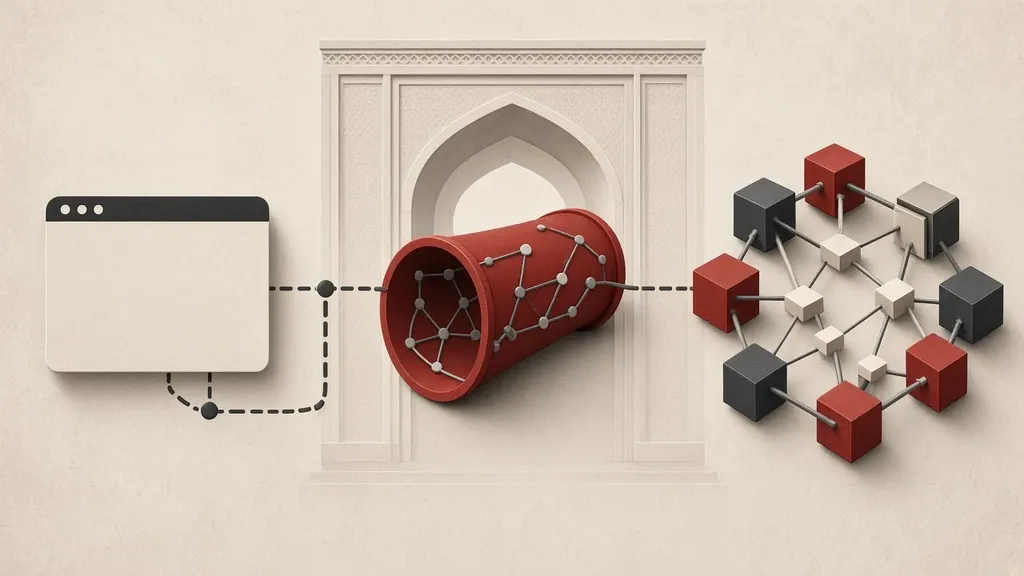
For a connection you usually have one of these goals: everyday browsing with less tracking, reaching a site that does not open on your network, or keeping an activity apart from your everyday identity. One browser, one extension and one tunnel will not do all three jobs at once. Write down the goal first, then pick the tool.
Everyday browsing habits are in the guide to safer browsing. The difference between reaching a blocked address and hiding from the service itself is explained in the guides to choosing a circumvention route and limits of anonymity in communication. This page helps you match well-known names to those goals and get them only from an official path.
Learning how filtering works, and how to reach a source through an official route, is access education, not a lesson in crime. Do not use these tools to break into someone else’s system or to hide an attack.
Separate the goal from the tool
- If you want everyday browsing to leave less of a trail for sites and ads, start with an updated browser and a small number of extensions.
- If a site or service does not open on your network, think about another route: a tunnel, a bridge or an app built for a filtered environment.
- If you want to keep an activity apart from your personal account and home address, changing browsers alone is not enough, and signing into that same personal account undoes the goal.
- Do not mix these three goals in one “does everything” app. A tool that gets past a filter does not necessarily hide you from the service on the other side.
An everyday browser and few extensions
Choose a browser that still receives regular patches. Up-to-date Firefox and up-to-date Chromium-based browsers are common examples. Get Firefox from mozilla.org/firefox, not from an attached file or an unknown store.
- After you install, leave automatic updates on. In Firefox see Settings > General > Firefox Updates. In Chrome or Edge open Settings > About so the current version is checked.
- Keep extensions few. Each add-on can see the page and collect data of its own.
- A content blocker from the official store — such as uBlock Origin from the browser’s own store, not a look-alike copy — is usually more useful than a bundle of ten add-ons.
- In Firefox manage add-ons from about:addons or Settings > Extensions and Themes, and remove anything you no longer need.
- A separate profile for sensitive work is better than installing five browsers with the same name. A profile separates cookies and extensions; if you sign into the same account in every profile, the separation disappears.
Tor Browser is for the Tor network, not a daily personal-account login
Tor Browser is built for stronger separation and for reaching the Tor network. Get it only from torproject.org/download or from the official GetTor path. Set aside a “faster” or “plus” build from a channel.
- After the app opens, if a direct connection fails, look at the connection settings menu for a bridge. The official guide to bridges and Snowflake is at tb-manual.torproject.org/circumvention.
- Get Snowflake and other bridges only from Tor Browser itself or from an official project channel, not from a file in a messenger.
- Do not resize the window in unusual ways, and do not install extra extensions on Tor Browser; the browser’s fingerprint is part of how the program is designed.
- Do not sign into a personal email, social-network or shopping account from Tor Browser every day. That sign-in ties Tor browsing back to your identity.
- Downloading a file and opening it outside Tor Browser can reveal your real address. Do not open a suspicious file there and then.
What a VPN tunnel does and does not do
A VPN carries the device’s traffic to the provider’s server. To the local network you appear connected to that server; to the destination site the request usually comes from that server’s address. The provider can see that the traffic came from you and where it is going, unless the connection inside the tunnel is separately encrypted.
- Get the app only from that provider’s official site or from the operating system’s official store.
- A “no logs” claim is hard to check from an advertisement. Weigh the company’s jurisdiction, how you pay, and whether the app asks for unrelated permissions such as access to SMS or contacts.
- A VPN does not make you anonymous to a service you sign into under your real name.
- Do not stack several VPNs on one device at the same time. That usually only breaks the configuration.
- If the tunnel drops, see whether the app has a setting that blocks all traffic; otherwise the device may leave by the ordinary path without you noticing.
Filtered environments: Psiphon, bridges and Snowflake
Psiphon and bridges such as Snowflake are built for environments where the ordinary path, and sometimes even Tor’s own address, is blocked. Their job is to get you to a source, not to invent a new identity.
- Get Psiphon only from psiphon.ca. After you install, look at the permissions the app asks for and keep it updated from inside the app or from that same site.
- If you need the Tor network and the direct path is blocked, open Bridges in Tor Browser and request Snowflake or another bridge from the program itself.
- Do not republish a bridge address in a public channel; wide republication burns that same address.
- If one method stops working, take the next method from that project’s official help, not from the first file sent in a group.
Outline for a group path
Some groups use Outline to build an access path they run themselves. The official software is distributed from getoutline.org. Outline is not a mass-market commercial VPN; usually someone in the group creates an access key and gives it to named members.
- Install the client only from the official path, and take a key from someone you have practical reason to trust, not from a broadcast message.
- Treat the key like an account password and do not put it in a large group.
- Outline does not by itself hide your message content from the destination service, and it is not a substitute for Tor Browser if the goal is identity separation.
- If a group does not already have such a path, do not hand building one to someone with no experience maintaining a server; a badly configured server is itself a risk.
Install only from the official path
- Firefox: mozilla.org/firefox.
- Tor Browser: torproject.org/download, and GetTor if you need it.
- Bridges and Snowflake: from Tor Browser itself or tb-manual.torproject.org/circumvention.
- Psiphon: psiphon.ca.
- Outline: getoutline.org.
- uBlock Origin: the official store of the same browser, under the project’s known publisher name, not a look-alike copy.
- After you install, keep updating from the same path. Remove a “cracked” file.
Common mistakes
- Installing several circumvention apps and several VPNs at once without writing down your goal.
- Signing into a personal account from Tor Browser every day.
- Downloading a tunnel from an unknown channel because “this one connects better.”
- Assuming that the HTTPS lock or a running VPN means nobody knows who you are talking to.
- Installing ten security extensions that themselves read the page.
- Republishing a bridge address or an Outline key in a public group.
Weigh payment, permissions and jurisdiction yourself
If you pay for a tunnel, the payment method itself is a trail. A bank card in your name, or a payment from an account tied to your identity, weakens a separation claim. A free app that wants SMS, contacts or personal files may be collecting its price another way.
- Before you install, read the permission list and set the app aside if something is unrelated to a tunnel’s job.
- Read the privacy policy on the official site, not in an image from a messenger.
- If a tool suddenly asks you to install another app with a similar name, treat that as a sign of an unofficial path.
When a route stops working
Filters and network disruptions are not fixed. A tool that connected yesterday may fail today. That alone is not a reason to download a fresh file from a group.
- First update the same official app and reconnect the device to the network once.
- If you are using Tor Browser, ask the connection settings for a new bridge from the program itself.
- Take the next method from that same project’s documentation. Know a few official methods in advance so you do not reach for an unknown source at the moment things drop.
- Do not treat one site failing as the whole internet being down; sometimes only that domain or that protocol is blocked.
Test the connection without spreading an identity
After you install a tunnel or Tor Browser, it is tempting to sign into a personal account “just to see that it works.” That test sign-in can join the two spaces together.
- To test reaching a source, open a page that is not tied to your name.
- If you need to see that the tunnel is up, look at the app’s own status page or a simple public page, not at your personal inbox.
- Do not leave unfinished downloads from the test sitting in a shared folder and then open them with the ordinary browser.
What to do today
- Update your everyday browser from the official path and remove extra extensions.
- Write the goal in one line: less tracking, getting past a filter, or identity separation — and pick only the tool that matches that goal.
- If you need another route, get it only from the project’s official site and try the connection once in calm conditions.
- Do not sign into an everyday personal account with Tor Browser.
- Do not let a no-logs claim, or a file sent in a group, decide the choice for you.
Related guides

Internet connection
Safer browsing: destinations, permissions and privacy boundaries
Safer browsing means an updated browser, checking where a link really goes, and giving sites fewer permissions. The HTTPS lock only encrypts the path to that address; it does not,…

Internet connection
Internet circumvention: choosing routes and assessing risk
A site that will not open is not always being censored. If blocking is deliberate, get tools only from official sites and do not trust random VPN apps from chat channels. A VPN…

Internet connection
Communication anonymity: identity separation and tool limitations
Anonymity means keeping an activity apart from your real identity. Encrypting a message or using a circumvention tool does not do that on its own. A phone number, an email address…